Register Keeper Upkeep for a Contract
After you deploy a Keeper-compatible contract, you must register it with the Chainlink Keeper Network. You can do this via the Chainlink Keepers App.
After you register, you can interact directly with the registry contract functions such as cancelUpkeep and addFunds.
Register and fund Upkeep on the Chainlink Keeper Network
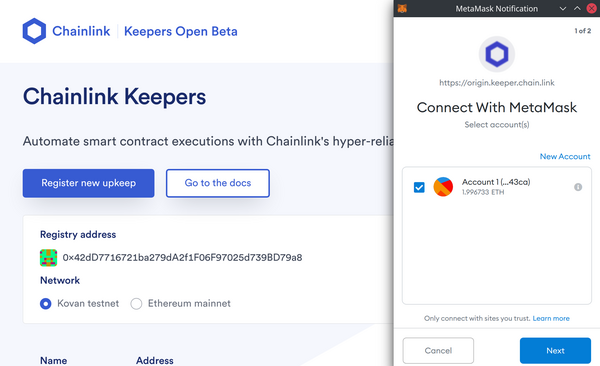
Connect your wallet with the button in the top right corner and choose a chain. The Chainlink Keeper Network currently supports Ethereum Mainnet or Kovan.
Click the
Register new upkeepbutton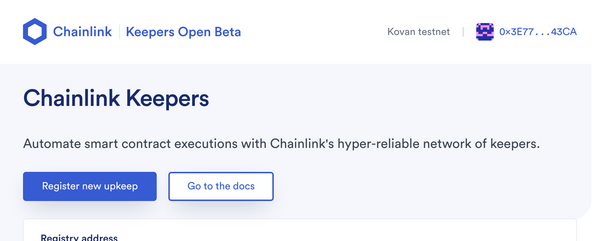
Fill out the registration form
The information you provide will be publicly visible on the blockchain. Your email address will be encrypted.Make sure you have LINK to fund your Upkeep with. Learn how to acquire testnet LINK.
FUNDING NOTE
You should fund your contract with more LINK that you anticipate you will need. The network will not check or perform your Upkeep if your balance could be too low based on current exchange rates.
Your balance will be charged LINK based on a 20% premium over the gas cost to
performUpkeep. There's currently a ~80k gas overhead from the registry. The premium and overhead are not fixed and will change over time.The gas limit of the example counter contract should be set to 200,000.
Press
Register upkeepand confirm the transaction in MetaMask
This will send a request to the Chainlink Keeper Network which will need to be manually approved. This is a temporary step during the Beta, and requests are automatically approved on testnets, so you should be up and running in a matter of minutes.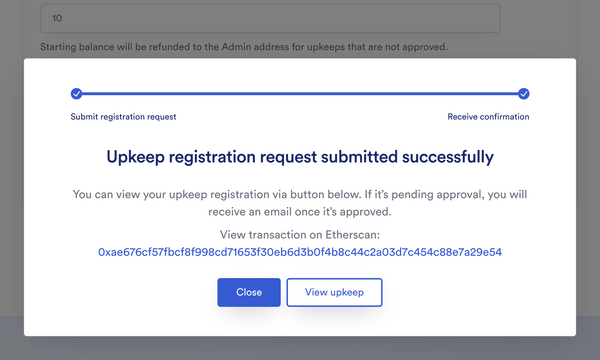
Add funds to your Upkeep
Your contract was provided initial funding as part of the registration step, but once this runs out, you'll need to add more LINK to your Upkeep.
- Click
View Upkeepor navigate back to the home page of the Chainlink Keepers App and click on your recently registered Upkeep - Press
Add fundsbutton - Approve the LINK spend allowance
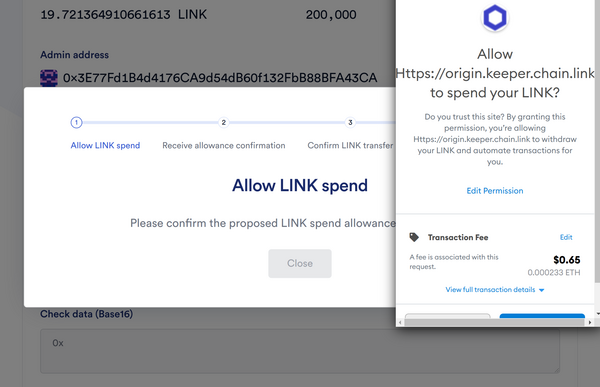
- Confirm LINK transfer by sending funds to the Chainlink Keeper Network Registry
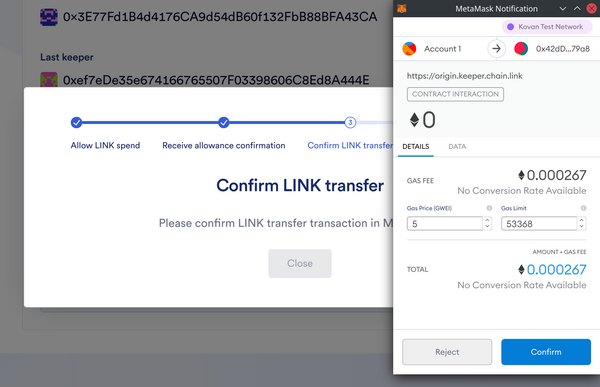
- Receive a success message and verify that the funds were added to the Upkeep
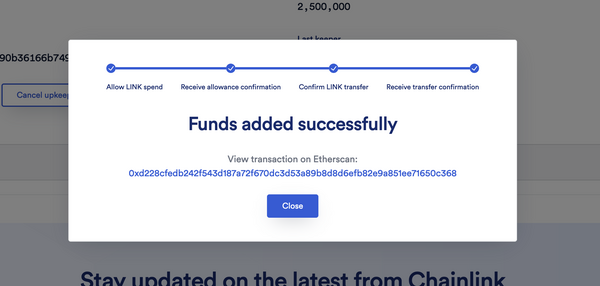
How funding works
- Your balance is reduced each time a Keeper executes your
performUpkeepmethod. - There is no cost for
checkUpkeepcalls. - If you want to automate adding funds, you can directly call the
addFunds()function on theKeeperRegistrycontract. - Anyone can call the
addFunds()function, not just the Upkeep owner. - To withdraw funds, cancel the Upkeep.
Maintaining a minimum balance
To ensure that the Chainlink Keepers are compensated for performance, there is an expected minimum balance on each Upkeep. If your funds drop below this amount, the Upkeep will not be performed.
The minimum balance is calculated using the current fast gas price, the Gas Limit you entered for your Upkeep, and the max gas multiplier (see gasCeilingMultiplier in configuration of the registry).
It is recommended that you maintain a balance that is a multiple (3-5x) of the minimum balance to account for gas price fluctuations.
Congratulations!
After you register your Upkeep, it has been approved, and you have added sufficient funds, the Chainlink Keeper Network will begin to simulate checkUpkeep calls and execute your contract's performUpkeep function as needed.
You have now built and registered a Keeper Compatible contract with the Chainlink Keeper Network. Wohoo!